




Don’t Replace Your Old Software. Build an AI Bridge to It
If you run an established, mid-sized business, you likely have a digital elephant in the room.
It is your core software system. It might be an ERP installed in 2012, an accounting system that looks like it belongs in the 1990s, or a custom-built inventory database that your team has been using for over a decade.
It is ugly. It is clunky. It requires far too many clicks to do simple tasks.
But it works. It holds all your historical data, your team knows its quirks, and it keeps the business running.
Now, you want to modernize. You see competitors talking about AI, automation, and speed. You bring in an IT consultant to ask how you can integrate AI into your operations.
The consultant looks at your 2012 software, shakes their head, and delivers the standard diagnosis: “Your system is too old. You need a complete Digital Transformation. We need to rip out your legacy software and migrate you to a new, cloud-based enterprise platform.”
The quote is $500,000. The timeline is 18 months.
In 2026, this advice is not just outdated. It is a financial trap.
You do not need to replace your old software to run a modern, AI-driven business. You just need to build an AI bridge to it.
Here is the truth about the “Digital Transformation” overhaul, why it usually fails, and how you can modernize your legacy systems in a matter of weeks, for a fraction of the cost.
The Multi-Million Dollar Overhaul Myth
For the last ten years, the tech consulting industry has survived by selling the “rip and replace” model. They convince business owners that the only way to move faster is to buy a massive, entirely new software ecosystem.
If you have ever been through a core ERP replacement, you know the painful reality of this process.
- The 18-Month Timeline: A full system replacement never takes the three months promised on the sales deck. Data migration is always more complex than anticipated. Custom workflows that your team relied on don’t exist in the new software out-of-the-box. The project has dragged on for over a year.
- The Operational Pause: While you are implementing the new system, your business effectively pauses its innovation. You cannot launch new initiatives because your entire IT team and operations managers are locked in endless “migration meetings.”
- The Training Tax: Once the new software is finally installed, your team’s productivity drops by 30% for the first three months. They have to unlearn a decade of muscle memory and figure out how to navigate a completely new interface.
- The Final Disappointment: After spending half a million dollars and suffering through a year of stress, the new software is finally live. And what happens? Your team is still manually reading PDFs and typing data into the new system. You bought a shinier interface, but you didn’t actually eliminate the manual labor.
The overhaul model assumes that your core database is the problem. Most of the time, it isn’t.
The Diagnosis: The Database vs. The Interface
To solve this problem, you need to separate your software into two parts: the Database and the Interface.
The Database is the hard storage. It is the raw numbers, the customer records, the inventory counts, and the financial ledgers. Even if your software is 15 years old, its database is probably functioning perfectly fine. A row of data from 2010 is stored the same way as a row of data from 2026.
The Interface is the screen your employees look at. It is the buttons they click, the forms they fill out, and the search bars they use.
When your team complains about the old software, they are not complaining about the database. They are complaining about the interface. They are complaining that to input a 20-line invoice from a modern PDF, they have to click through four different gray screens and manually type every single number into a rigid digital form.
The bottleneck is the human translation of modern, messy data (emails, PDFs) into the old, rigid system.
The traditional IT solution is to buy a whole new database to get a better interface.
The Cogya solution is to bypass the interface entirely.
The 2026 Solution: The AI Bridge
Instead of replacing the old software, we leave it exactly where it is. It remains your single source of truth.
However, we stop forcing your human employees to log into it for routine data entry.
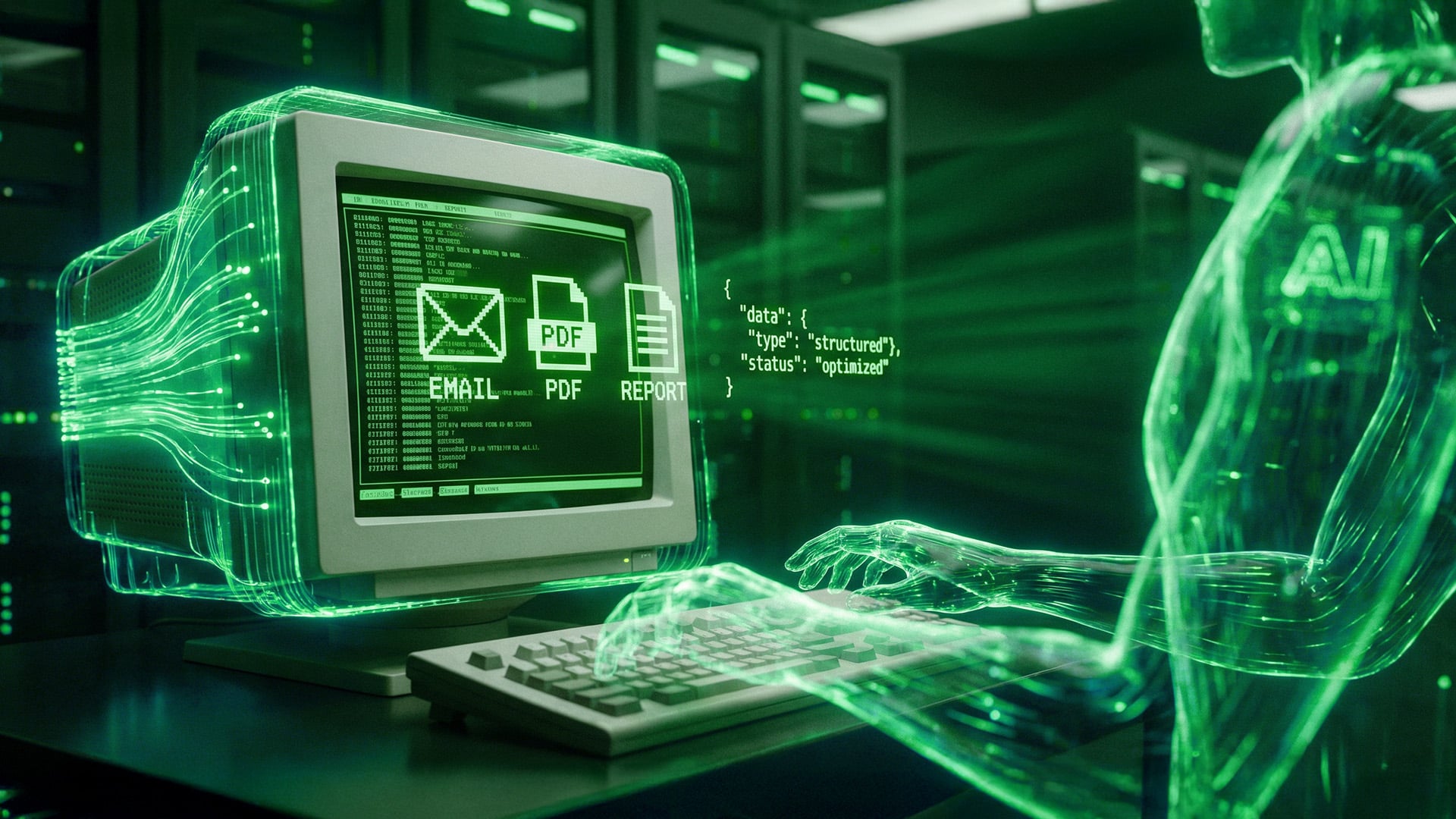
Instead, we build an “AI Bridge.” This is a custom-architected layer of AI Agents that sits between your modern communication channels (like your inbox) and your old database.
The AI Agent acts as a universal translator. It is capable of reading modern, unstructured data, structuring it perfectly, and pushing it directly into the old software without a human ever touching the keyboard.
How the Bridge Works Technically
- The Ingestion Layer: The AI Agent is connected to your incoming data streams. This could be a shared billing inbox, a customer support portal, or a vendor upload folder.
- The Extraction Layer: When a document arrives (for example, a complex, multi-page PDF invoice from a supplier), the AI uses advanced Vision models to read it. It doesn’t use old-school optical character recognition (OCR) that breaks if a logo moves. It reads the document contextually, exactly like a human would, extracting the vendor name, line items, quantities, and totals.
- The Validation Layer: The AI Agent cross-references this extracted data against your existing business rules. Does the total match the line items? Does this vendor exist in the system? Does this match the original Purchase Order?
- The Execution Layer: Once the data is verified, the AI packages it into a structured payload (like JSON) and pushes it directly into your legacy software.
If your 2012 software has an API (Application Programming Interface), the AI communicates through that. If the software is so old that it doesn’t have an API, we use RPA (Robotic Process Automation) to have the AI literally “drive” the old software on a virtual machine, typing the keys at superhuman speed.
Case Study: Bypassing a Legacy SAP System
Let’s look at exactly how this plays out in a real-world scenario.
A mid-sized wholesale distributor had been running their operations on an older, highly customized instance of SAP. Replacing it would cost them roughly $800,000 and force a massive retraining of their warehouse staff.
Their biggest operational bleed was order entry. Every day, they received hundreds of purchase orders via email from various B2B buyers. Every buyer used a different PDF format.
The Old Process:
They employed a team of four order entry specialists. When an email arrived, a specialist would open the PDF on their left monitor, open the SAP interface on their right monitor, and begin typing.
For a 50-item order, this manual entry took 15 to 20 minutes. If the phone rang, they lost their place. Typos were frequent, leading to incorrect shipments, return shipping costs, and angry buyers.
The IT consultants told the CEO to rip out SAP.
The Cogya Process:
We left SAP untouched. We built an AI Bridge connected to the orders@ inbox.
Now, when a buyer emails a PDF order, the AI Agent intercepts it. In three seconds, the AI reads the PDF, translates the buyer’s internal part numbers into the distributor’s SAP part numbers, checks the inventory levels, and injects the perfect, error-free order directly into the SAP database.
The order entry specialist no longer types. They simply look at a daily dashboard of successfully processed orders. They only intervene if the AI flags an “Exception”—for example, if a buyer orders a part that was discontinued five years ago.
The Financial Result:
- The cost of the integration was a fraction of a full ERP overhaul.
- The timeline to deploy was four weeks, not 18 months.
- The processing time per order dropped from 15 minutes to 3 seconds.
- Order accuracy hit 100%.
- Most importantly, the company did not experience a single day of “downtime” or retraining on the warehouse floor.
The Economics of Bridging vs. Replacing
When making strategic technology decisions in 2026, business leaders must look strictly at the math and the risk profile.
The Risk Profile of Replacement:
When you replace a core database, you are putting the heart of your business on an operating table. If the data migration fails or the new system crashes, your business stops invoicing. You cannot ship products. You cannot collect cash. It is an incredibly high-risk maneuver.
The Risk Profile of Bridging:
When you build an AI Bridge, you are not touching the core database logic. The old system remains fully operational. If the AI Agent encounters a bug or an unprecedented edge case, it simply stops, flags the document, and routes it to a human to process the old-fashioned way. The business never stops running.
The Capital Allocation:
Why spend $500,000 to buy a new database when the only thing you actually need is faster data entry?
By building an AI pipeline, you shift your technology spend from massive Capital Expenditure (CapEx) to highly targeted, high-ROI operational improvements. You solve the exact bottleneck costing you money today, without buying features you don’t need.
The Bottom Line
Your 15-year-old software is not a death sentence for your company’s speed. It is merely a storage locker.
The companies that win in 2026 will not be the ones who spent a fortune buying the newest, flashiest enterprise software suites. The winners will be the pragmatic operators who realized they could keep their reliable legacy systems and simply automate the doors going in and out.
Stop letting consultants tell you to rebuild the house when you only need a faster lock on the front door.
If you have a clunky legacy system that requires your team to perform hours of manual data entry every day, do not replace it. Bridge it.
Ready to see how an AI Bridge would work on your specific software?
[Book a Workflow Architecture Review with Cogya Today]
